









Kitchen constructor
Developing a 3D kitchen configurator isn't just a visual tool; it's a way to dramatically simplify and speed up the process of selling custom kitchens. This online constructor allows customers to assemble their future kitchen directly in their browser: choose the layout, fronts, materials, colors, and hardware, and immediately see the final result in 3D. Even before speaking with a manager, customers understand what their kitchen will look like and what the final configuration includes.
Essentially, it's an interactive 3D constructor integrated into a manufacturer's or retailer's website, transforming an abstract idea into a concrete, visual, and understandable product. Instead of lengthy consultations and verbal explanations, clients receive a visual result and confidence in their choice. This tool is especially popular with companies that sell custom kitchens and furniture: manufacturers, furniture factories, showrooms, dealers, and online stores. The 3D configurator takes on a significant portion of the manager's routine work – helping clients determine their specifications, filtering out unsuitable options, and guiding them to a completed order even before the first phone call.
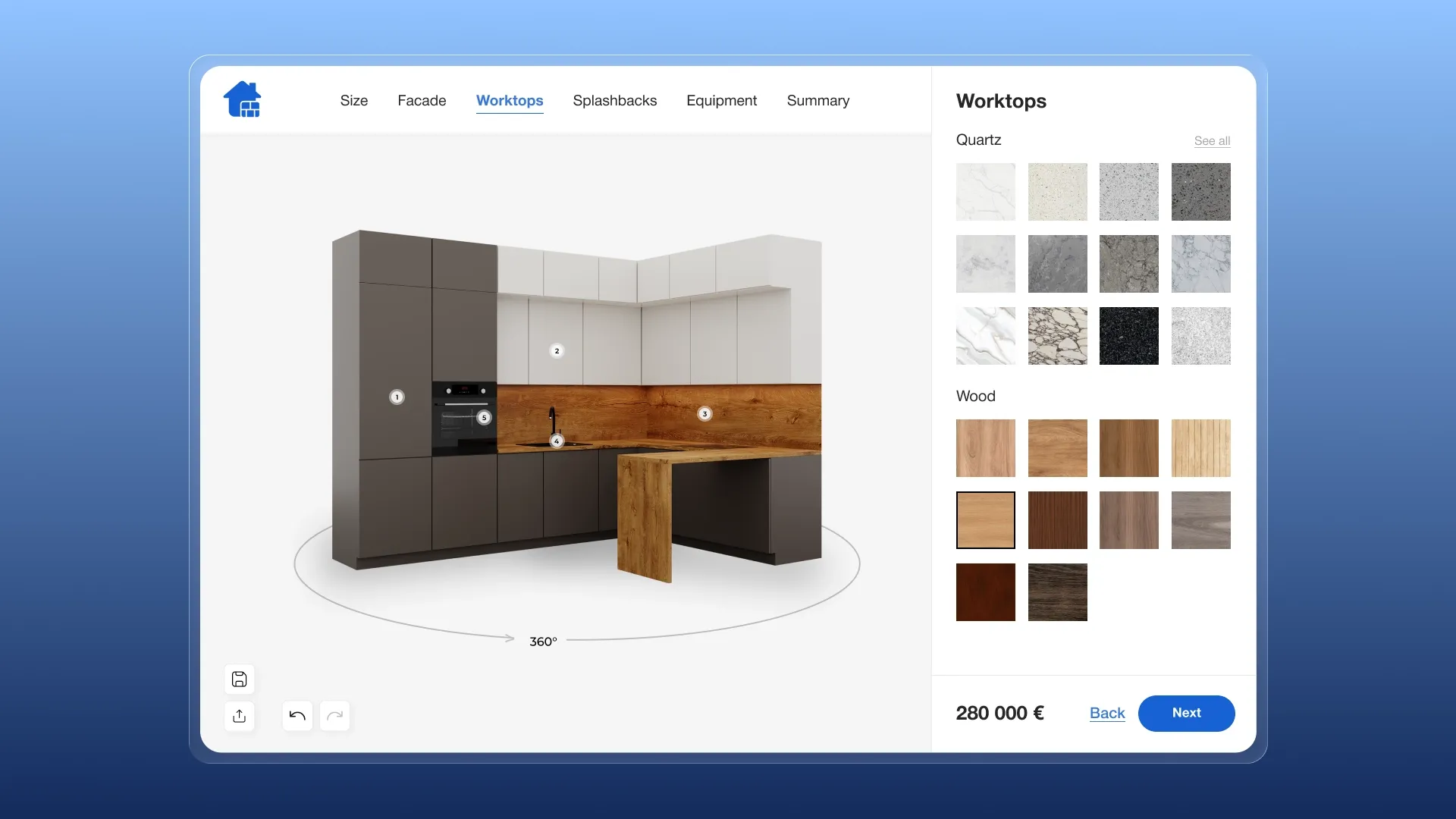
For businesses, a 3D constructor solves several key tasks at once:
It clearly demonstrates the product, shortens the path from interest to purchase, reduces the number of questions and revisions during the approval stage, and improves the quality of incoming orders. At AVADA MEDIA, we develop 3D kitchen configurators not as "pretty visualizations," but as a practical sales tool – taking into account production logic, product range, prices, restrictions, and real-world customer interaction scenarios. Such a constructor is equally convenient for both the buyer and the team that processes orders every day.
What is a 3D kitchen constructor and how does it work?
The online kitchen constructor is a web-based tool that guides users through the process of creating a kitchen digitally, step by step. Work begins with choosing a basic layout, after which elements are added and modified through an intuitive interface.
The configurator works directly in the browser and does not require any additional software. A good 3D constructor should be compatible with both desktop and mobile devices, allowing users to interact with it from any device without losing its usability or functionality.
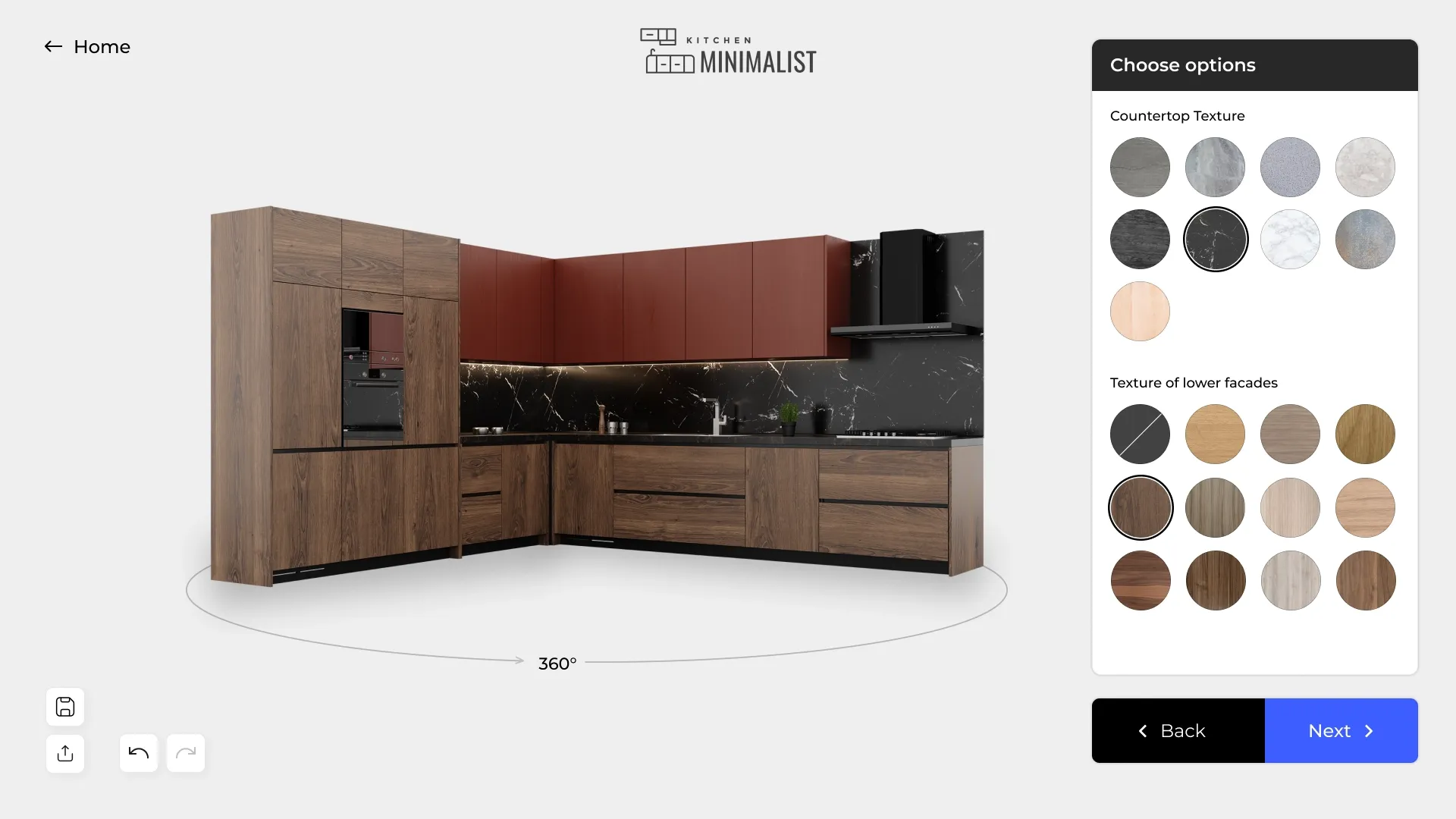
This solution is based on a 3D kitchen visualization that updates in real time. When selecting modules, materials, or dimensions, the image updates instantly, allowing you to evaluate the proportions, combination of elements, and overall appearance of the kitchen at every stage of the setup.
What business problems does a 3D kitchen constructor solve?
The configurator accelerates sales and reduces the workload on the team, turning kitchen selection into a convenient online process.
Key business effects:
- Replaces offline showrooms. Users can see options and assemble a kitchen without visiting a showroom, expanding their reach.
- Speeds up managers' work. The completed project with parameters is sent to the manager immediately, reducing application processing time.
- Increases conversion. Interactive selection keeps customers on the site and helps them make decisions faster.
- Reduces order errors. Selection logic eliminates incompatible combinations and size discrepancies.
- Increases the average order value. Customers are more likely to add options and additional elements, seeing the final result in real time.

3D Kitchen constructor features
The interactive 3D configurator provides clients with a clear selection interface and immediately generates order data, while businesses benefit from a convenient project management tool.
What can be configured in the online constructor:
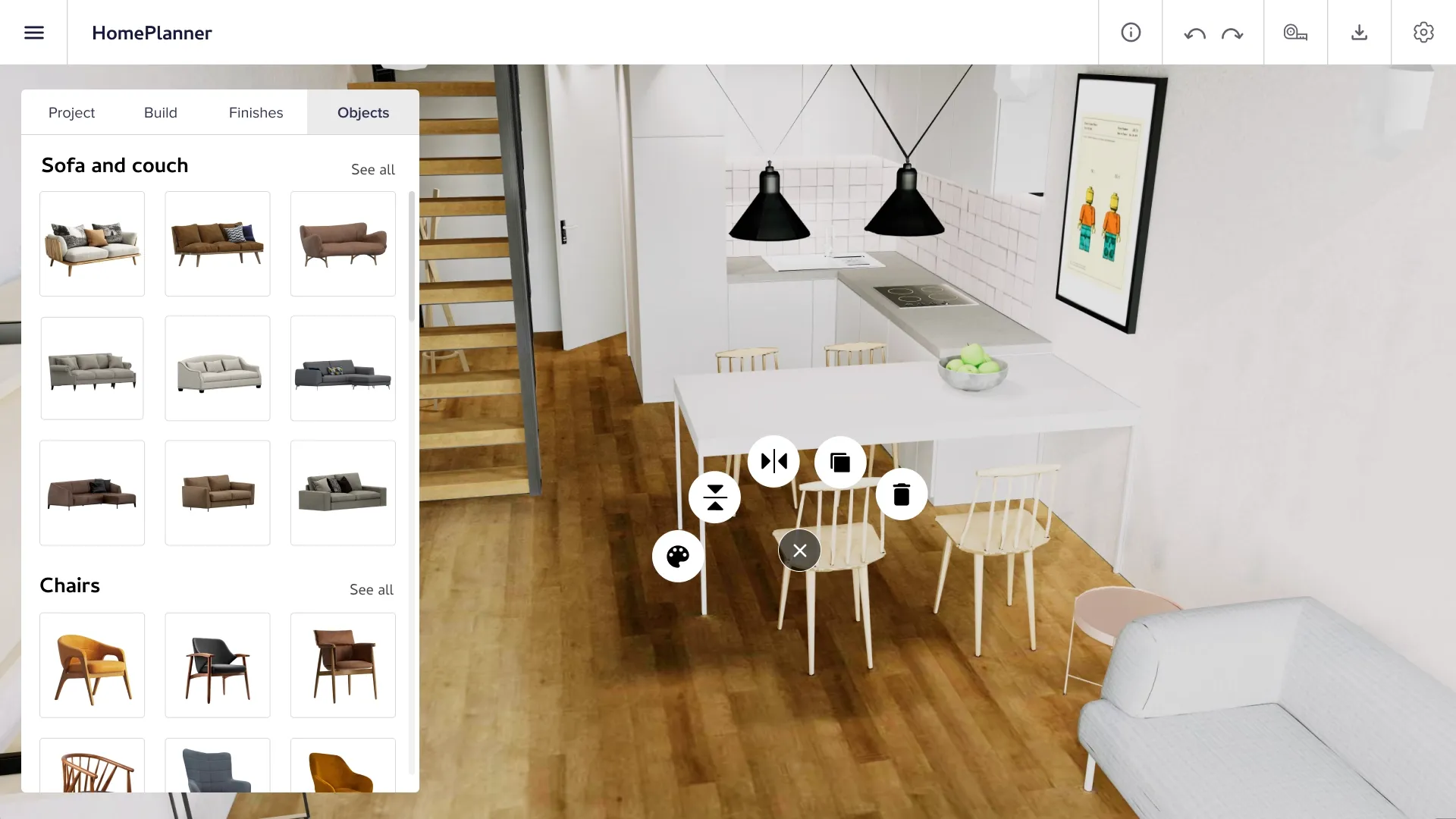
- Selecting modules and sizes. Selecting furniture elements, arranging them, and fine-tuning the parameters to suit the room.
- Facade and enclosure materials. A selection of actual production materials, including variations in density, coating, and structure.
- Colors and textures. Change shades and textures in real time to evaluate combinations and appearance.
- Fittings and appliances. Adding handles, guides, accessories, and built-in appliances, taking into account the logical placement.
- Change the layout. Rearrange modules, change angles, add or remove elements without losing your settings.
- Cost calculation. Dynamic price calculation based on selected modules, materials, and options.
- Specification export. Generate specifications for production and transfer to managers in a convenient format.
- Website/CRM integration. Project data is transferred to the CRM/ERP, and the 3D furniture configurator is easily integrated into the website.

Technologies and approach to development
Stable operation in the browser is essential for the 3D constructor, so WebGL/Three.js or similar solutions are used to provide high-quality graphics without installing applications.
Optimization is being implemented for various browsers and devices to ensure the configurator loads quickly and runs smoothly. The project's architecture is designed for expansion: new modules, materials, and features can be added without requiring a system overhaul.
Mobile adaptation is also included, ensuring the interface and visualization remain user-friendly on smartphones and tablets. At AVADA MEDIA, this approach is standard for business solutions where speed, stability, and scalability are essential.


Stages of developing a 3D kitchen constructor
Before launch, it's important to structure the process so that the constructor functions as a unified system: from business tasks to the finished product and support.
How development is going:
- Analysis and problem setting. Defining goals, target audience, product range, and business logic. Developing technical specifications and requirements.
- Logic and UX design. Developing a configuration structure, user scenarios, and a user-friendly interface for kitchen assembly.
- 3D Model Preparation. Creation and optimization of 3D models of kitchen units, materials, and textures to ensure visualization quality and performance.
- Constructor development. System assembly, implementation of selection logic, visualization, calculations, and interface interaction.
- Integration and testing. Connecting to the website, CRM/ERP, checking calculation accuracy, compatibility, and operation on different devices.
- Launch and support. Go live, monitor, refine, and maintain as your catalog expands or business processes change.
Cost of developing a 3D kitchen constructor
The cost of developing a 3D kitchen configurator depends on the functionality, level of visualization, and scope of integrations. Below are approximate prices to help you estimate your budget at the outset. The cost of developing a 3D kitchen constructor is calculated individually after clarifying the project's requirements and objectives.
| Type of solutions | Description | Development timeframes | Estimated cost |
|---|---|---|---|
| Basic 3D constructor | Limited set of modules, no pricing, basic visualization | from 6 to 8 weeks | $5 000 – 8 000 |
| 3D constructor with module options | Changing sizes, colors, facades, basic kitchen logic | from 8 to 10 weeks | $8 000 – 15 000 |
| Constructor with cost calculation | Dynamic pricing, specifications, data export | from 10 to 14 weeks | $15 000 – 25 000 |
| A fully functional 3D kitchen constructor | Complex logic, technology, fittings, CRM integration | from 14 to 18 weeks | $25 000 – 40 000+ |
| Customized enterprise solution | High load, complex architecture, non-standard functionality, AI | from 5 to 7 months | $40 000 – 70 000+ |
The prices listed are approximate. The final cost of developing a 3D kitchen constructor is calculated individually after analyzing the project and technical requirements.
What does the cost depend on:
- The number of kitchen modules. The more options and combinations, the more complex the selection process and the greater the amount of work.
- Level of detail of 3D models. High-polygon models, complex textures, and realistic materials increase preparation and optimization time.
- Price and specification calculation. Dynamic pricing, material calculation, and specification generation require additional logic and testing.
- Integrations (CRM, ERP, website). Connecting to sales management systems, accounting systems, or a website increases the complexity of the project.
- Mobile device support. Adapting the interface and optimizing visuals for smartphones and tablets requires a separate development phase.
- Admin panel. Having a control panel for managing the catalog, modifications, and project settings adds functionality and value.
Who is the 3D kitchen constructor suitable for?
The online constructor is ideal for companies that work with custom kitchens and want to increase sales efficiency, reduce the workload on managers, and improve the quality of order processing.
Who this may be relevant to:
- Kitchen manufacturers. For catalog management, module display, and automated data transfer to production.
- Showrooms and dealers. To speed up consultations, increase the number of projects, and improve the customer experience at the point of sale.
- Online furniture stores. To increase user engagement, increase the average order value, and reduce abandonment during the purchasing process.
- Developers and interior design studios. To showcase finished solutions in real estate properties and create projects that can be immediately transferred to production.
Online 3D kitchen design as a sales growth tool
A 3D kitchen configurator is more than just a visual tool; it's a fully-fledged sales driver that makes the kitchen selection and ordering process transparent, fast, and convenient for customers, and predictable and manageable for businesses. It not only visualizes the product but also creates a clear path from concept to finished order through interactive interaction and data automation.
If you need an online 3D kitchen designer, AVADA MEDIA will develop a solution tailored to your product range, business logic, and actual sales processes – from the customer's first click to the order's finalization.


FAQ
-
How long does it take to launch the 3D designer on the website?
Launching a 3D designer takes an average of 6 to 18 weeks. The basic version launches in 6–8 weeks, while solutions with cost calculations and complex logic take 10–18 weeks. The timeframe depends on the level of functionality and the readiness of the catalog, 3D models, and price lists.
-
Is support required from the client's IT team?
Integration with a website or CRM may require the involvement of the client's IT specialists, but the basic settings and connection are performed by the developer.
-
What level of model detail is required for effective work?
Optimized, medium-detail models are sufficient for the constructor to work. High-poly models are only needed if the most realistic visualization is required.
-
Is it possible to restrict access to certain modules or materials?
Yes, the configurator can take into account restrictions by assortment, region, warehouse, or seasonal collections, displaying only available options.
-
Is the constructor suitable for selling not only kitchens but also other furniture?
Yes, the platform is easily scalable to other categories, so the solution can be used as a 3D furniture configurator for related industries.