











 1091
1091
These two words are often used interchangeably and understandably so: both describe interactive tools where the user interacts with the product online. But the underlying logic behind them is fundamentally different. Understanding this is helpful for anyone planning to develop such a tool.

Configurator: selection of finished product parameters
The configurator works with a fixed base model. The product already exists - a door, a bicycle, a kitchen set, a roof - and the user selects parameters from available options: color, material, configuration, and size.
The tool's logic is strict: there are compatibility restrictions, there are combination rules, and the end result is a specific product option with a price.
A good way to understand this is to look at real examples from our demo catalog.
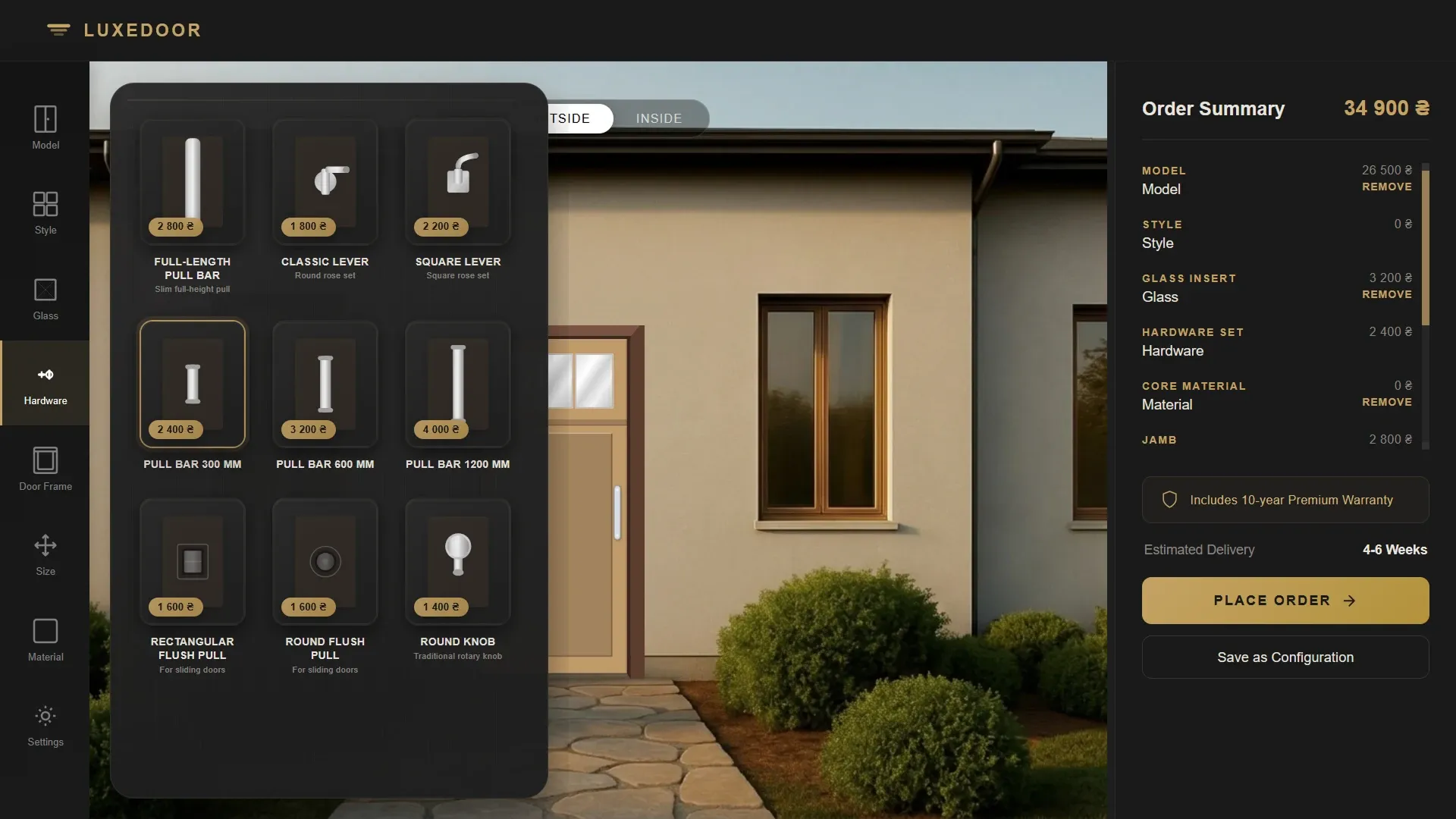
The LUXEDOOR door configurator lets you select the door model, style, materials, and finishes for the exterior and interior, the type and design of glass inserts, hardware, and dimensions — either from standard or custom parameters. All changes are immediately displayed in the visualization, and the price is automatically recalculated with each selection.
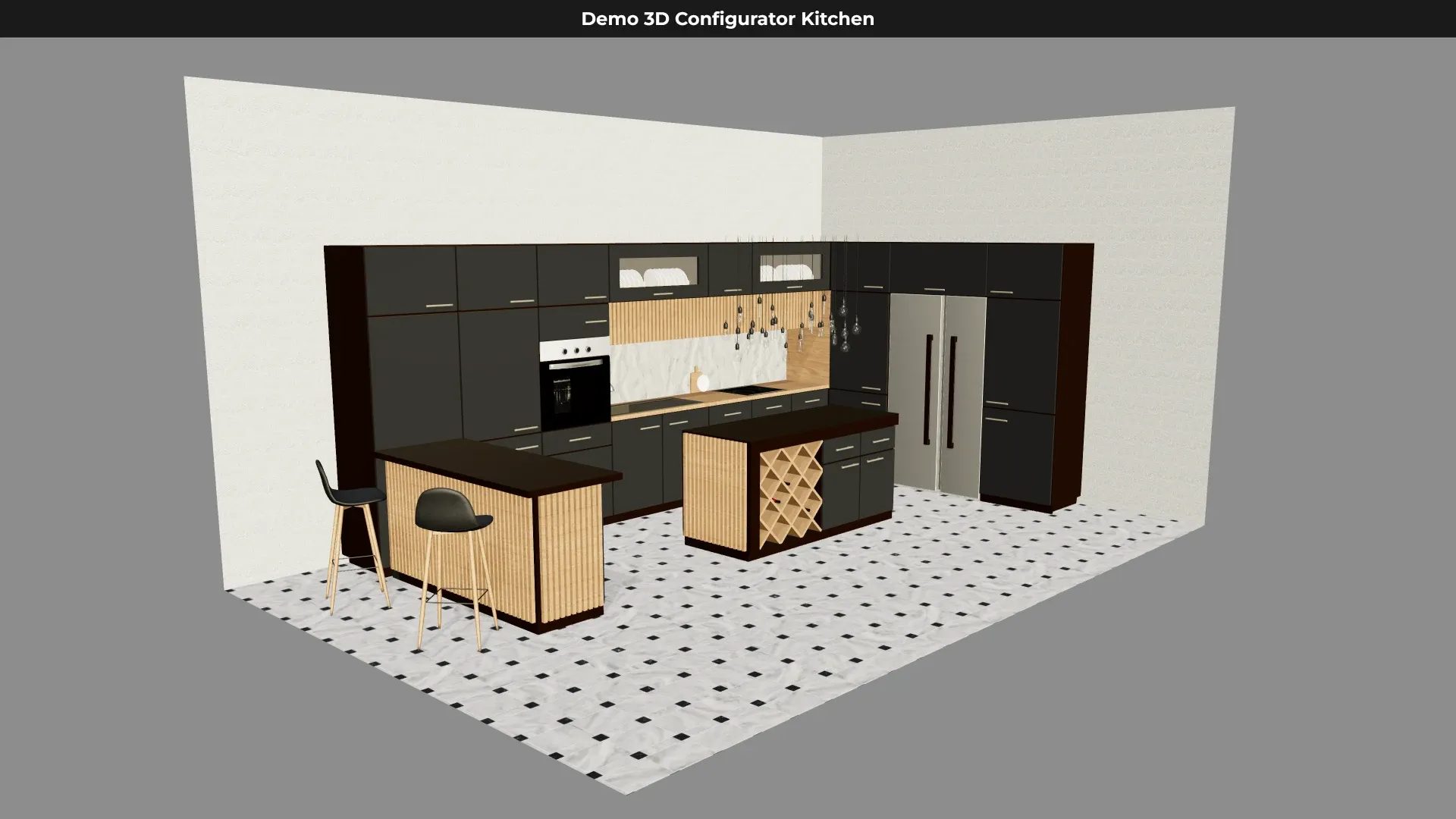
3D Kitchen Configurator Vision — in this demo, you can reconfigure kitchen units, add and remove elements, choose the color of the fronts and countertops, select the wood type for individual parts, rotate the model 360°, and zoom in on individual areas.
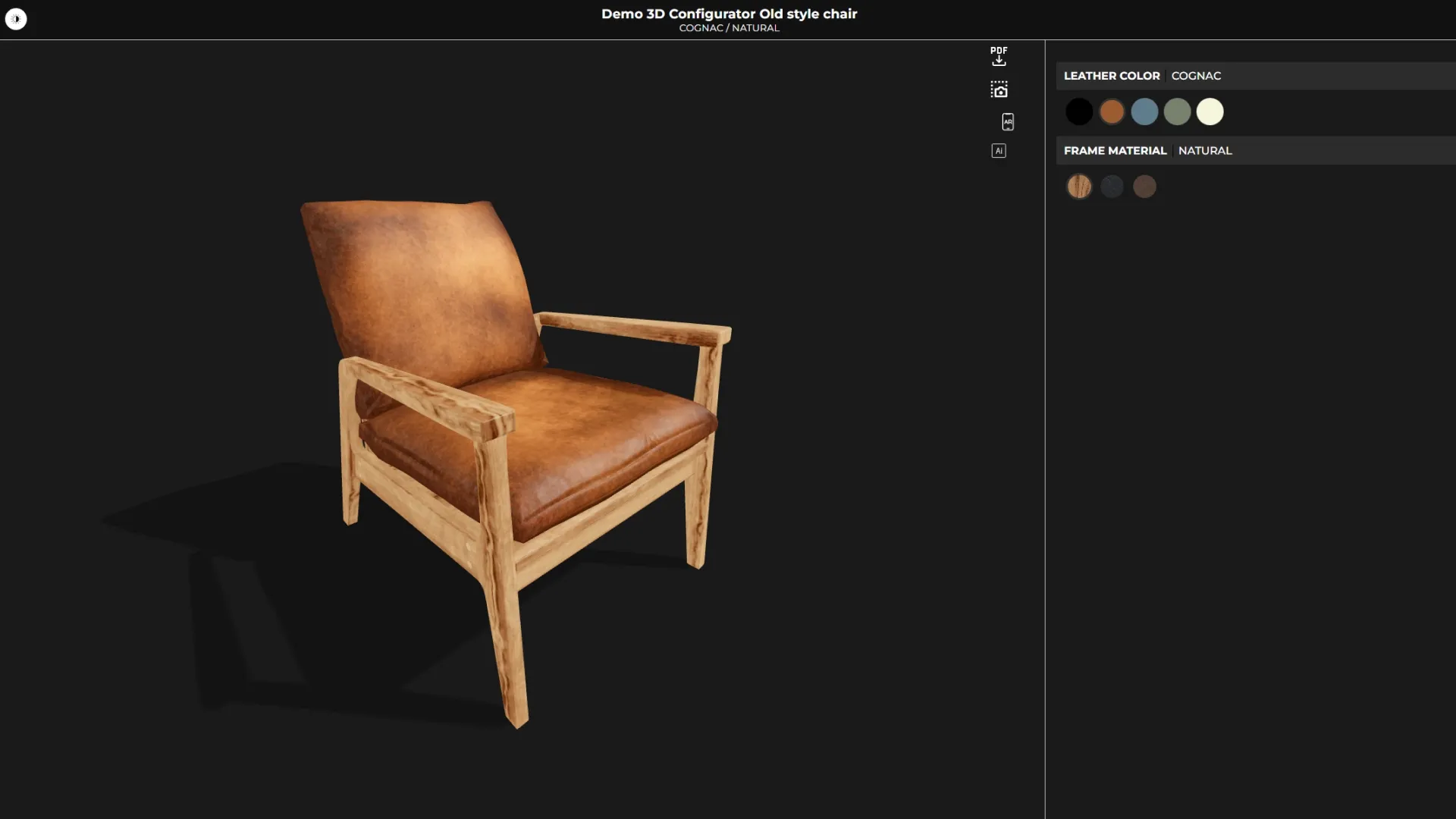
Furniture configurator – using a designer chair as an example, you can change the upholstery and frame color, rotate the model from all sides, and open it in AR mode via a QR code to see how the chair will fit into a real-life interior.
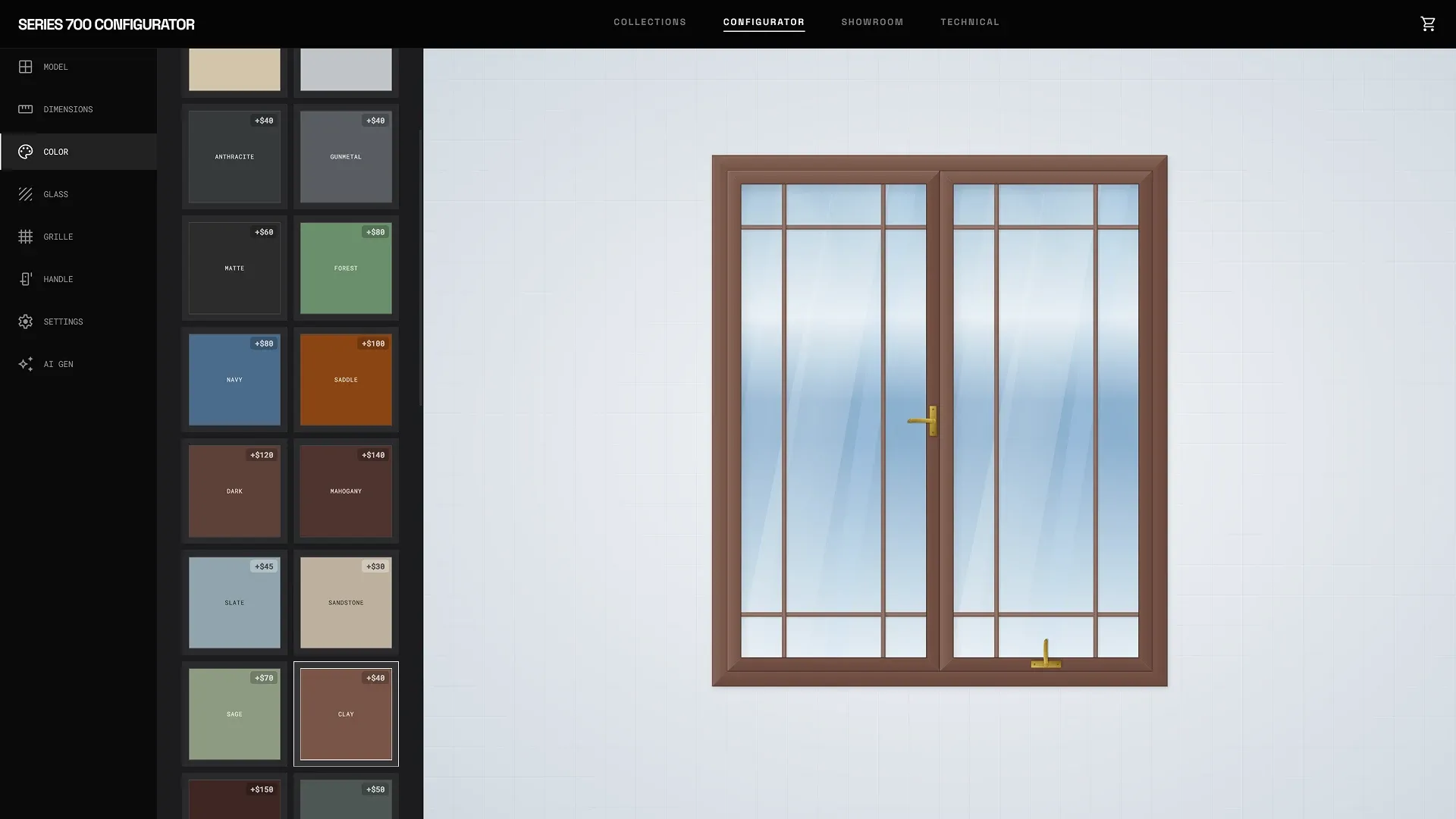
The 2D window configurator for SERIES 700 allows you to select the window model and type, define the design geometry and dimensions, select the color, glazing parameters, decorative grilles, and handles. Any changes are instantly reflected in the 2D visualization without refreshing the page.
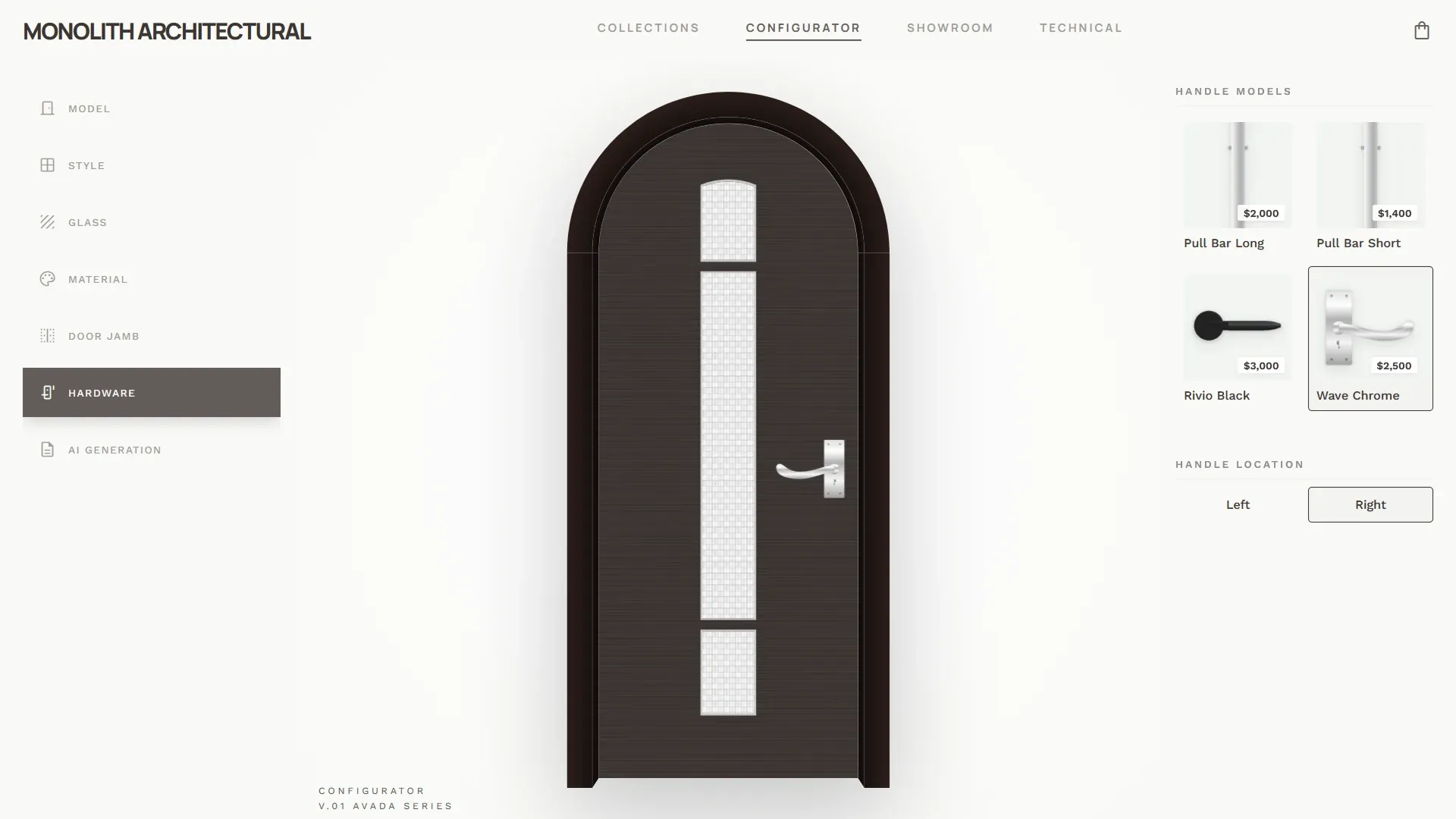
The Monolith architectural door configurator is a more sophisticated version of the door configurator: here you can select the model, style, and finishing materials, customize the frame, glazing type and options, handles and hardware, and combine elements — all with instant results and automatic cost calculations.
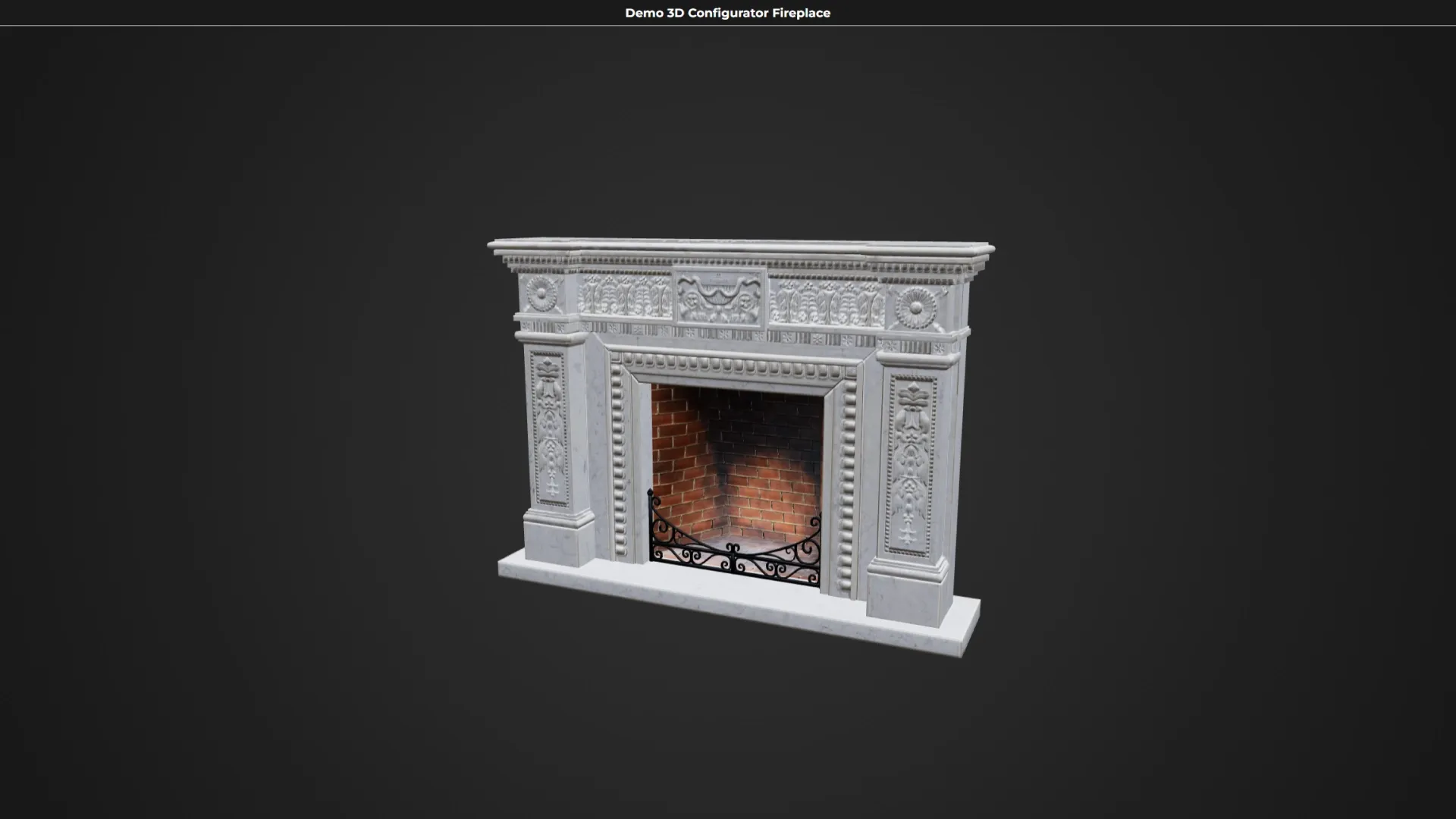
3D fireplace configurator – here you can choose a fireplace style to match your interior: the demo features fireplaces in various styles, from modern minimalism to premium classic designs. The model can be rotated and viewed from any angle, and the price is recalculated dynamically with each change.
Builder: building a structure from scratch
The builder works differently — there's no fixed model to configure. The user creates the structure themselves: adding elements, moving them around, and defining their placement and relationships.
This is clearly demonstrated by the 2D/3D apartment builder Floor Craft. Here's what you can do:
- create a layout from scratch - add and remove rooms, set their sizes, change their shape and location, customize walls, doors and windows;
- arrange furniture - select objects from the built-in catalog, move, rotate, duplicate and delete them, align them to the grid;
- customize the properties of each object - dimensions, position, area,
- cost, rotation and display layer;
- control accuracy - the tool monitors collisions, calculates the total area, number of rooms and objects, and generates a final estimate;
- switch to 3D — with one click, go from a plan to a three-dimensional visualization: all furniture, walls, openings, and proportions are automatically transferred to the scene, allowing you to navigate through rooms and evaluate the space from different angles.

Where confusion arises
The difference is best seen in two different implementations of the same product. An interior is a perfect example.
Option 1. Here's the interior configurator screen: you change the wall color, flooring, curtains, and upholstery. The layout remains the same, and the layout remains the same. This is the configurator — there's a pre-designed interior, and you customize its visual parameters.
Option 2. Here's another screen— Floor Craft: move furniture, add rooms and set the dimensions for a specific space. It's a construction kit — you're assembling a space, not customizing a ready-made solution.
The same context — two different tools. It all depends on how much freedom you want to give the user.
The key differences between the two instruments are presented in one table:
| Parameter | Configurator | Builder |
|---|---|---|
| Logic of work | Setting up the parameters of the finished product | Assembling a structure from scratch from individual elements |
| User freedom | Limited by available options | High - you can add, move, and remove elements |
| Difficulty of learning | Minimal, clear from the first screen | Above, requires immersion in the logic of the tool |
| Result | A specific product variant with a price | A unique solution tailored to individual parameters |
| Target | Speed up your selection and close the deal | Provide maximum flexibility in design |
| Typical products | Doors, windows, kitchens, interiors, bicycles, roofing | Room layouts, custom-sized cabinetry, and interiors from scratch |
| Who is it suitable for? | A business that sells a specific product online | For businesses where the client creates a customized solution |
Why is this important when choosing a business tool?
Understanding the difference helps you formulate the task more accurately at the start — and avoid a situation where you order one tool but actually need another.
- We need to enable the client to quickly select a product and place an order – a configurator.
- We need to give the client the opportunity to assemble a custom solution based on their parameters – a builder.
- Both are needed - a combined tool, and its architecture will be more complex and expensive.
In most cases, when it comes to selling a specific product online — a door, a roof, a bicycle, a kitchen set — a business needs a configurator.
A builder is useful where the user has a real need to create something unique: plan an interior, assemble a room plan, or assemble a modular system for non-standard dimensions.
Not sure what your product needs — a configurator, a builder, or something in between? Tell us about your needs, and we'll help you figure it out and offer a suitable solution. 👉 Discuss the project


